
Take orders at the table
Who does this: captains and waiters who take orders at the table on their phone. The counter sees what they do.
What you need:
- Your phone, signed in with your own mobile number (Sign in).
- Your place on the team as a captain (Add your team).
Find your tables
Section titled “Find your tables”-
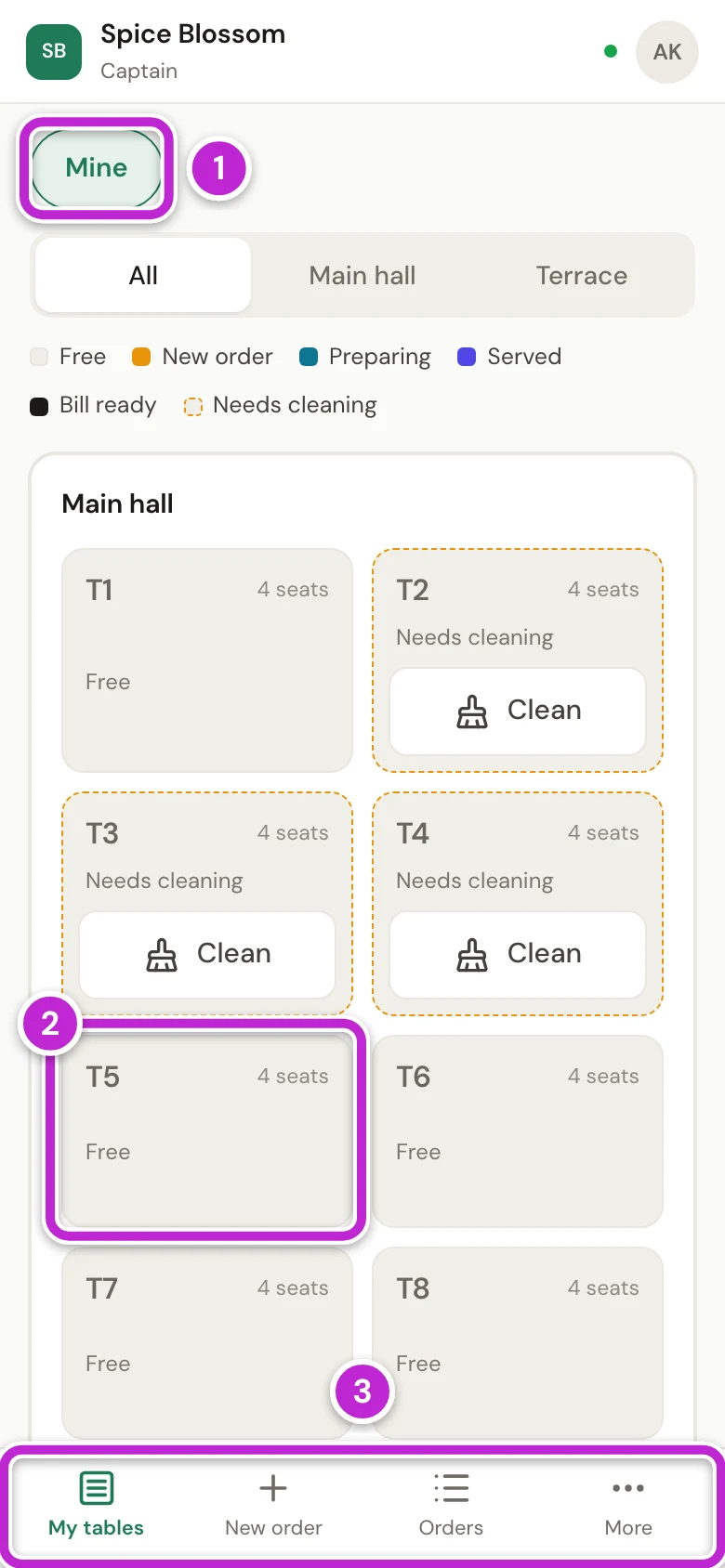
Sign in on your phone. DineSure opens My tables, the floor of tables.
-
Mine (1) is on at the start. It shows only the busy tables you opened, and every free table, so you can still seat new guests. Tap it to see every busy table too.
-
To start an order, tap a free table, for example T5 (2).
-
Use the bar at the bottom (3) to move between My tables, New order, Orders and More.
Order for a table
Section titled “Order for a table”-
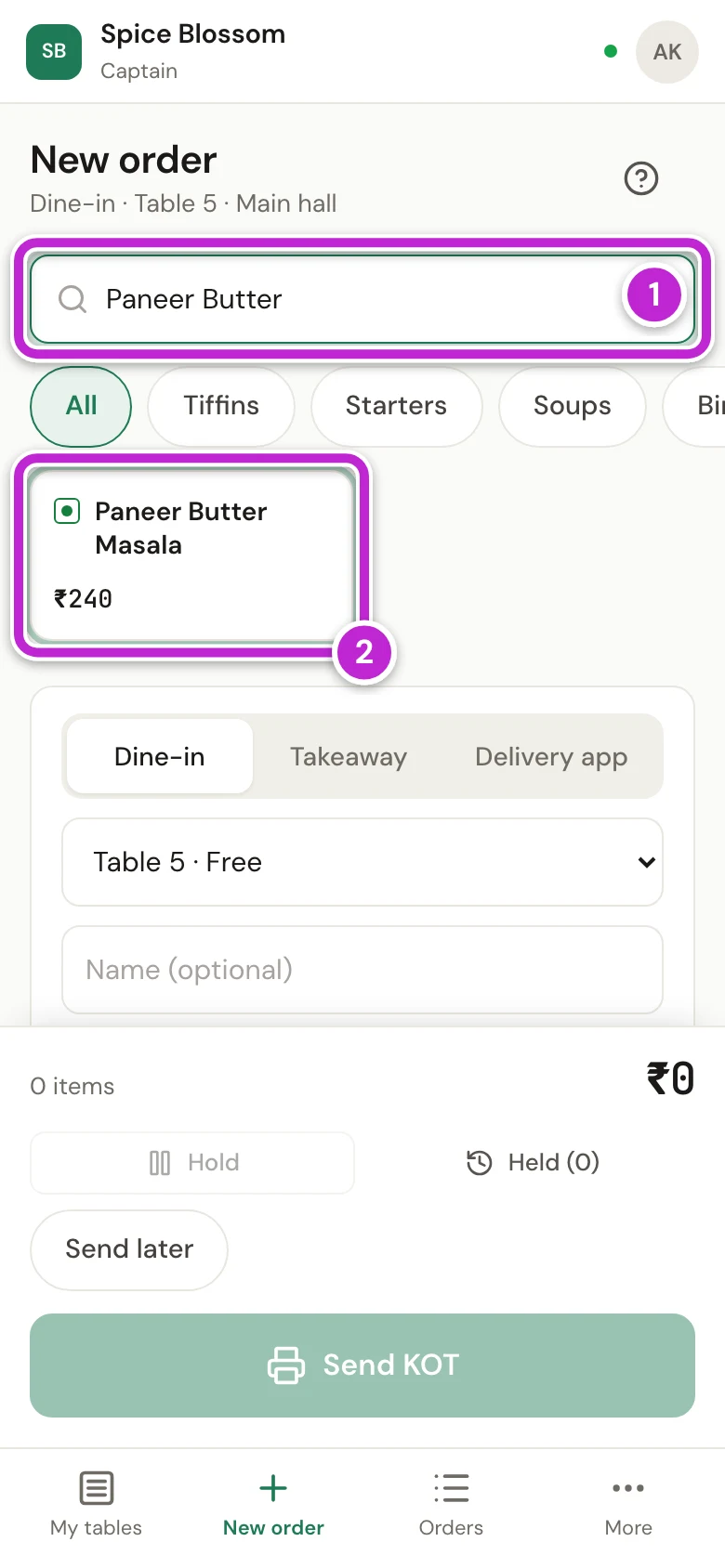
New order opens for that table. Type a few letters of the dish in the search box (1).
-
Tap the dish (2). Tap each dish the guests want.
-
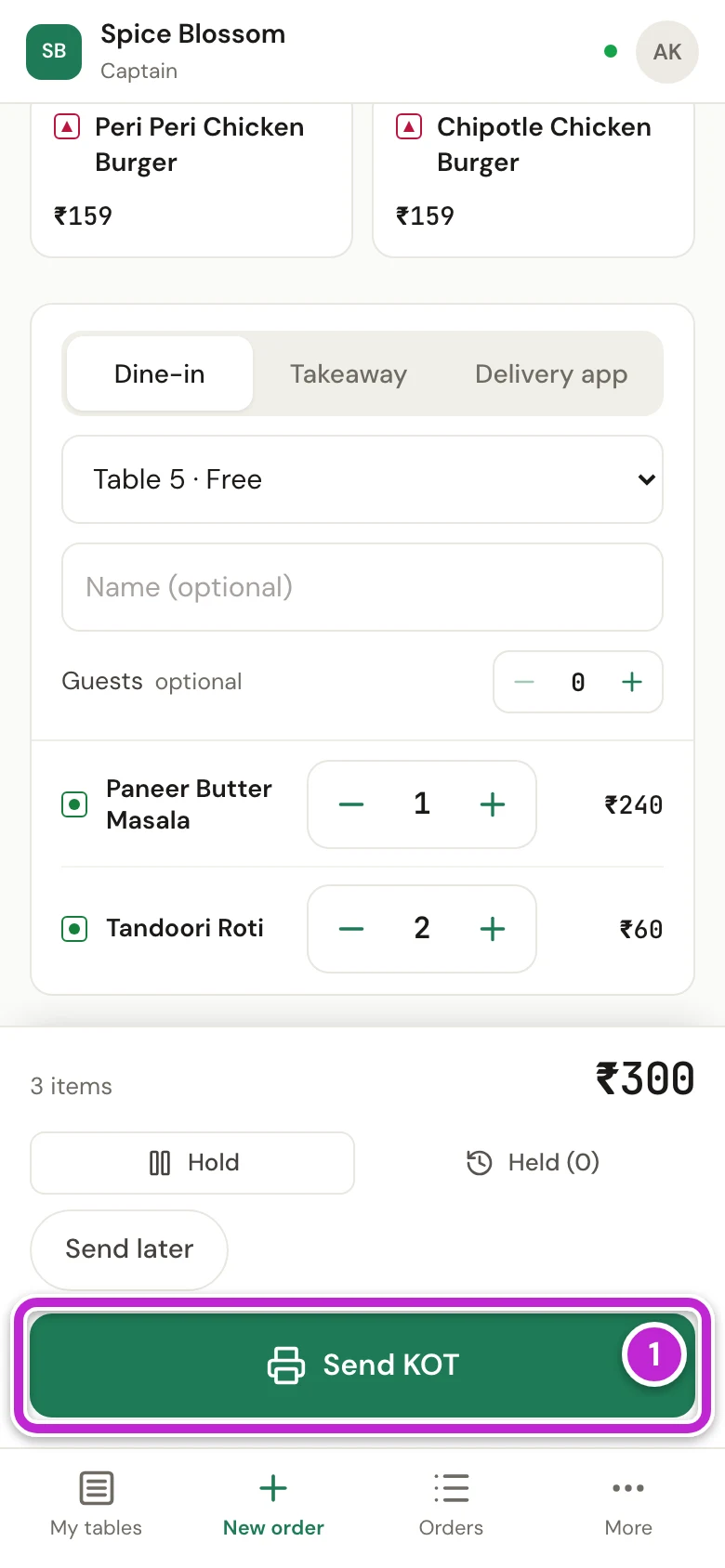
Scroll down to check the order. Tap + or − to change how many.
-
Tap KOT & print (1). The KOT goes to the kitchen, and DineSure goes back to the floor with the message KOT #4 sent to the kitchen.
Add more items or ask for the bill
Section titled “Add more items or ask for the bill”-
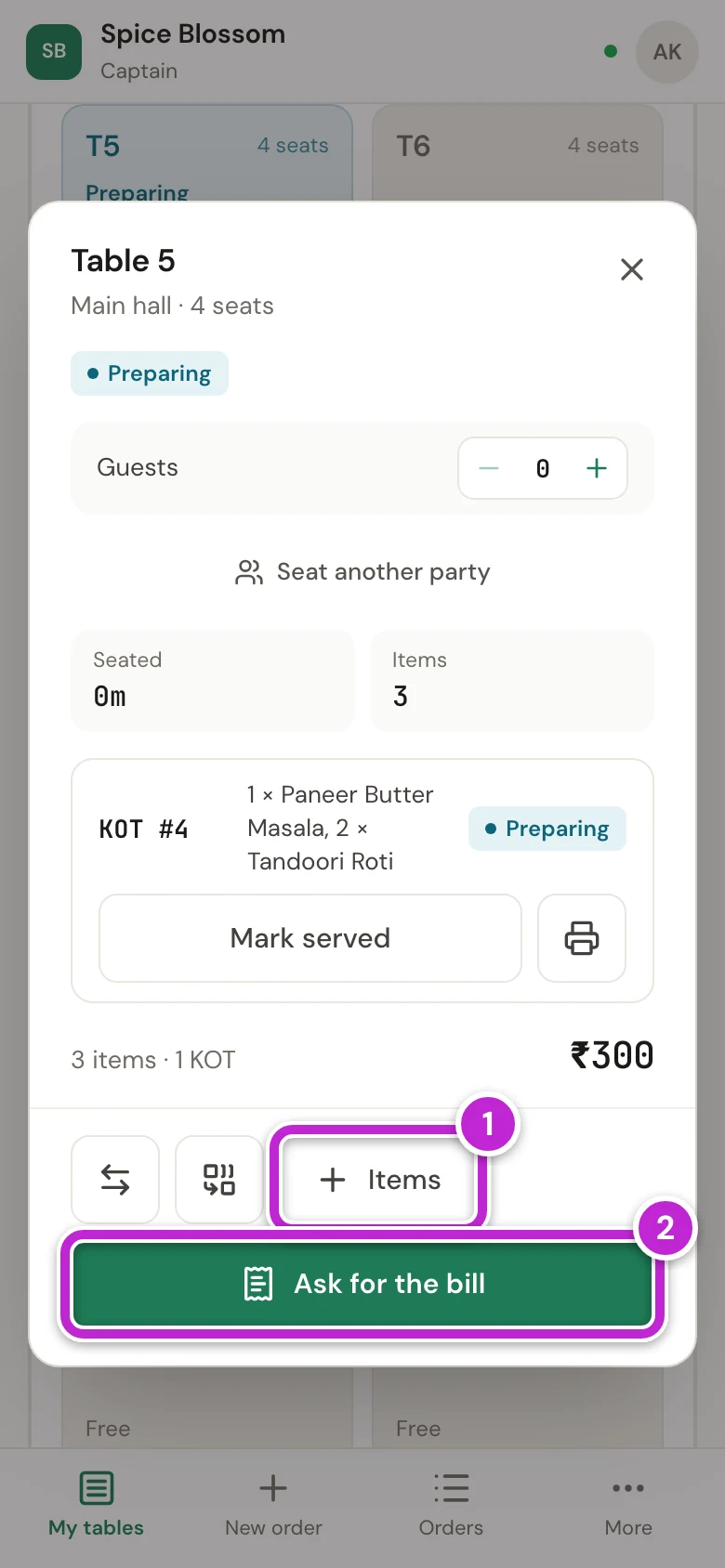
On the floor, tap the table. Its panel shows each KOT with its dishes, and the total so far.
-
To add more dishes, tap Menu (1), tap the dishes and send the KOT. The new KOT is added to the same table.
-
When the guests want to pay, tap Ask for the bill (2).
-
The button now says Bill asked. The counter knows, and you do not need to walk there.
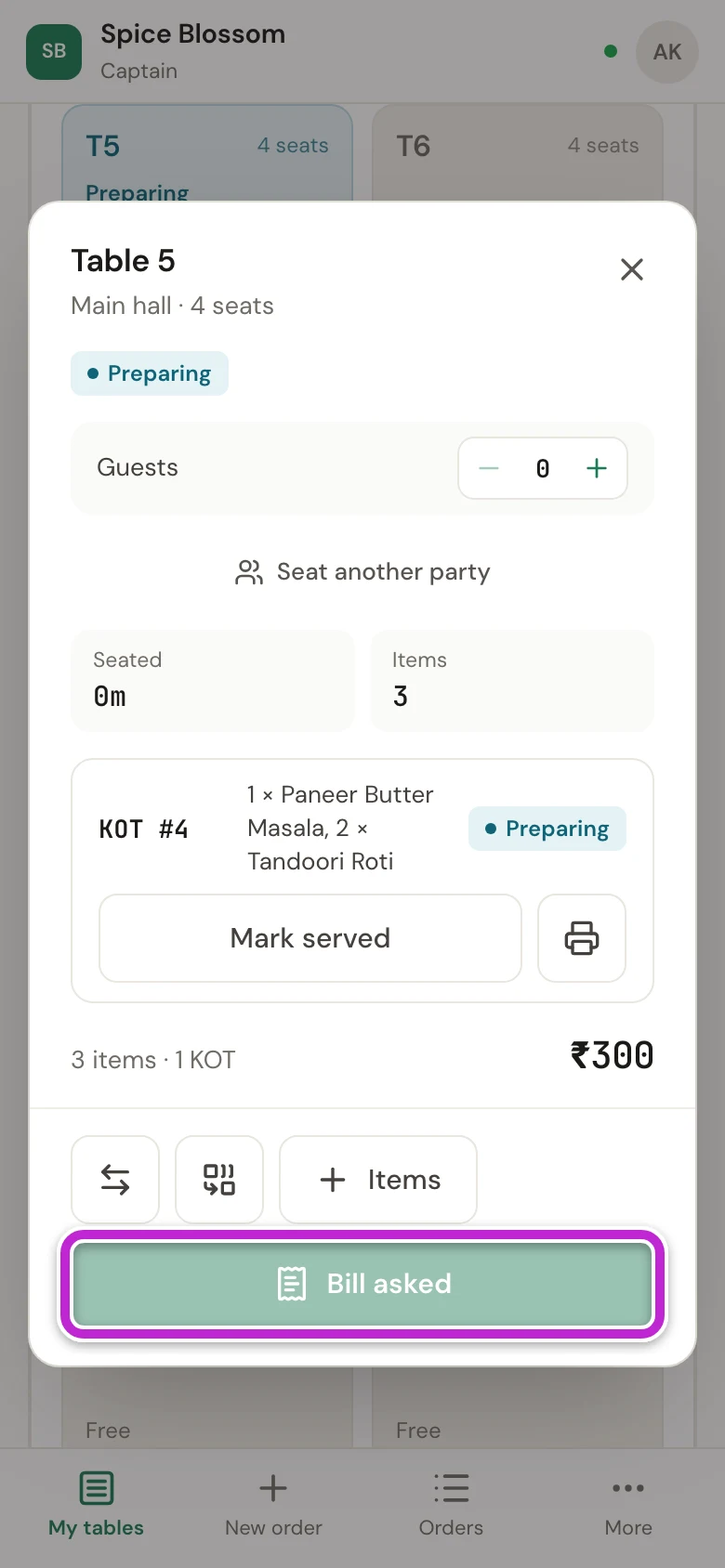
A captain does not print bills or take payments. The counter does that (Print the bill and take the payment).
How the counter sees “Bill asked”
Section titled “How the counter sees “Bill asked””-
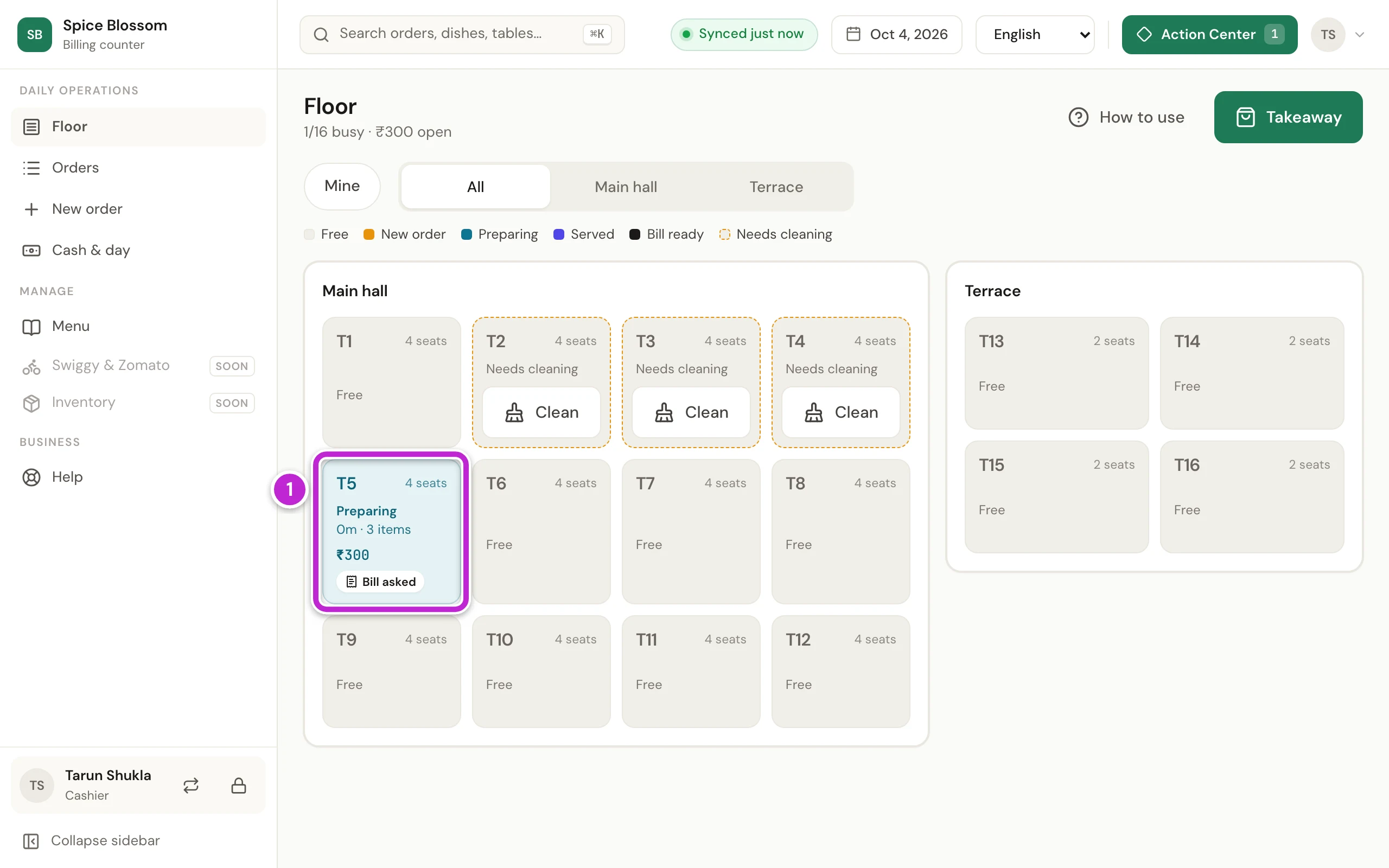
On the counter, the table’s tile on Floor shows Bill asked (1). The request also shows in Action Center.
-
The cashier clicks the table, then Bill, prints the bill and brings it to the table. Printing the bill clears Bill asked.
Guests who tap Ask for the bill on their own phone show up at the counter the same way. When a guest pays by UPI from their phone and taps I've paid, the tile shows Says paid instead (Print the bill and take the payment).
If something goes wrong
Section titled “If something goes wrong”- You cannot see a busy table. Mine is on, and someone else opened that table. Tap Mine to see every table.
- A table shows Needs cleaning. The last guests have left. Clean the table, then tap Clean. You can still tap the table to start an order.
- The kitchen did not get the KOT. KOTs print from the counter computer, not from your phone. Ask the counter to check that DineSure Counter is open and the printer is on. Then tap the table and tap the printer button, Reprint KOT, on its KOT.
- The phone shows the sign-in page. You were signed out. Sign in again with your mobile number (Sign in).