
Read your reports
Who does this: the owner and managers.
What you need:
- DineSure open on a computer, signed in as the owner or a manager (Sign in).
See today at a glance
Section titled “See today at a glance”-
Click Today in the sidebar.
-
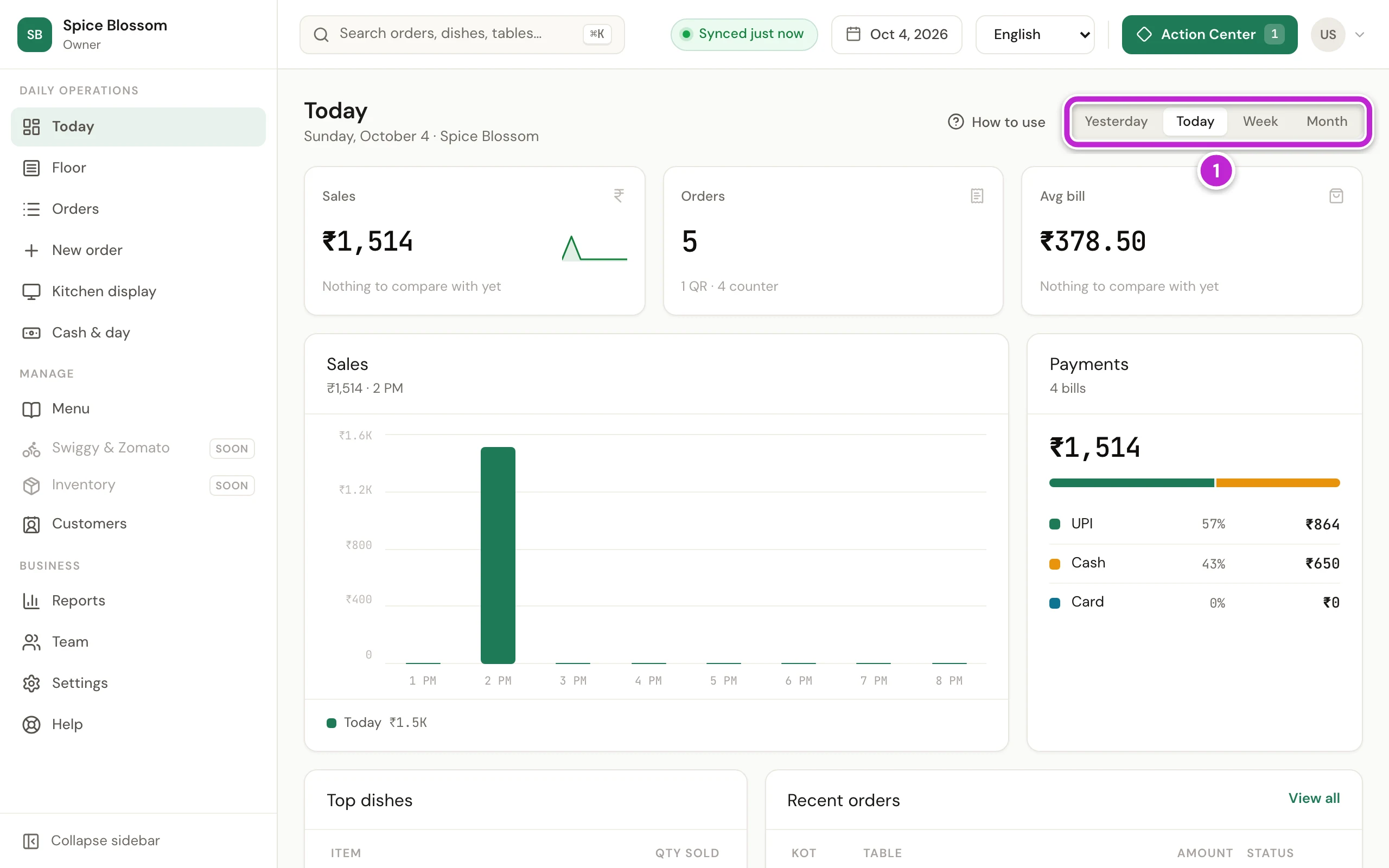
Choose the period at the top (1): Yesterday, Today, Week or Month. The cards show Sales, Orders, Avg bill and Payments for that period. Below them are Top dishes and Recent orders.
-
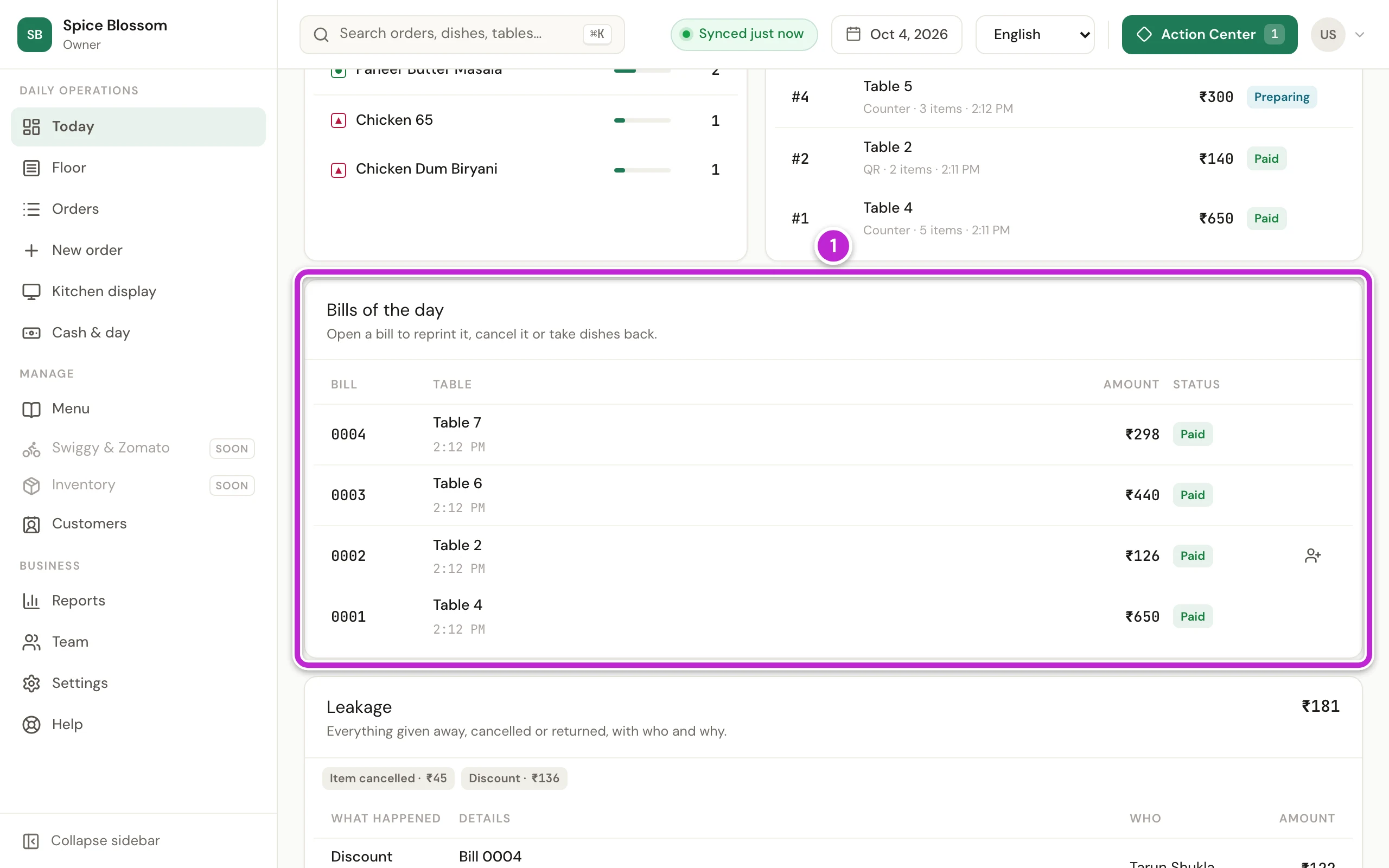
Scroll down to Bills of the day (1). It lists each bill of the day with its number, its table, its amount and whether it is Paid or Due.
-
To reprint a bill, cancel it or take dishes back, click the bill. To add a guest’s mobile number to a bill after they paid, click the button at the end of its row (Customers and coins).
-
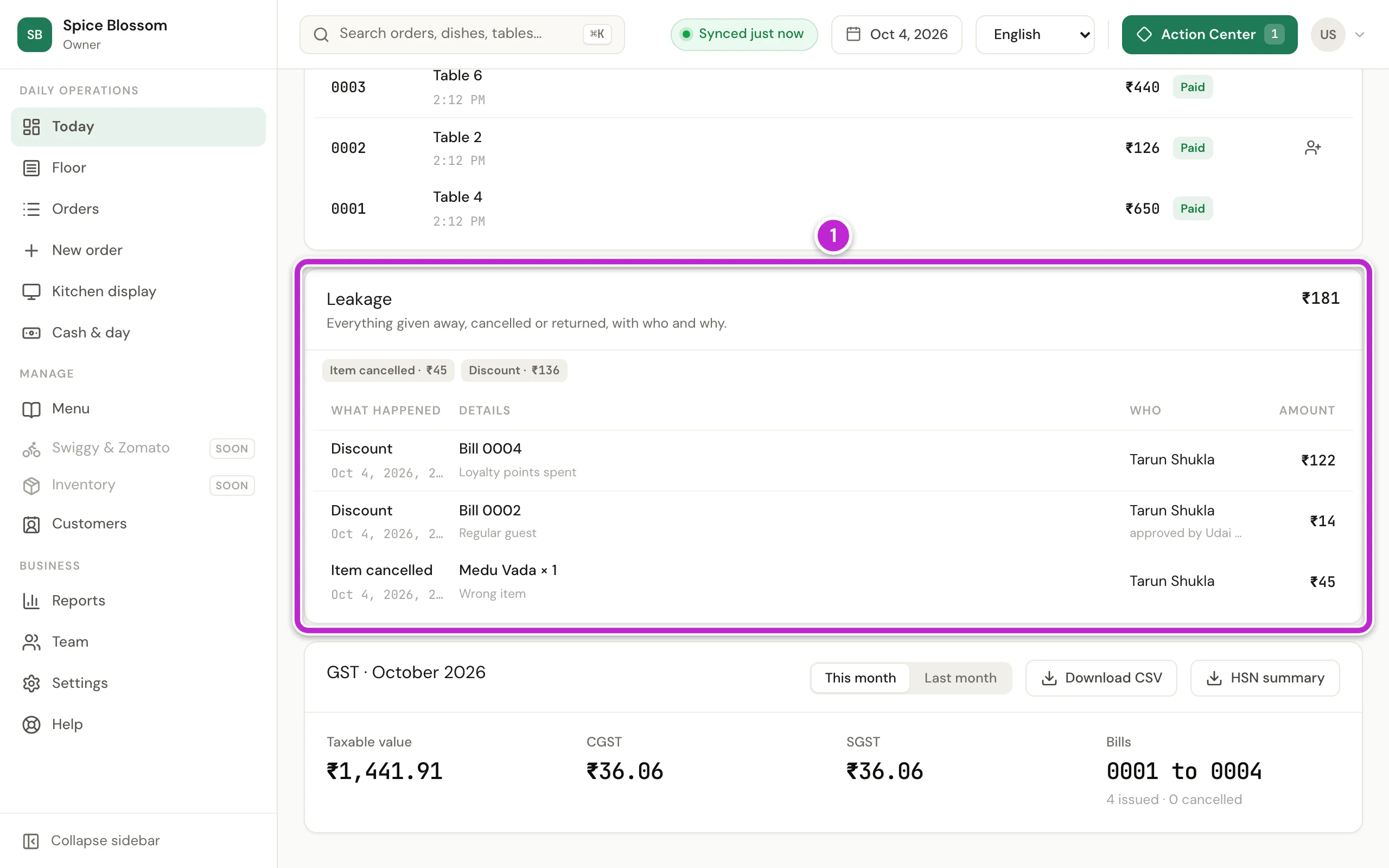
Scroll down to Leakage (1). It lists everything given away, cancelled or returned, with who did it and why. In the picture, a guest paid ₹122 of bill 0004 with coins, a discount of ₹14 was given to a regular guest with the owner’s approval, and a Medu Vada was cancelled as a wrong item (₹45).
Read the Reports page
Section titled “Read the Reports page”-
Click Reports in the sidebar.
-
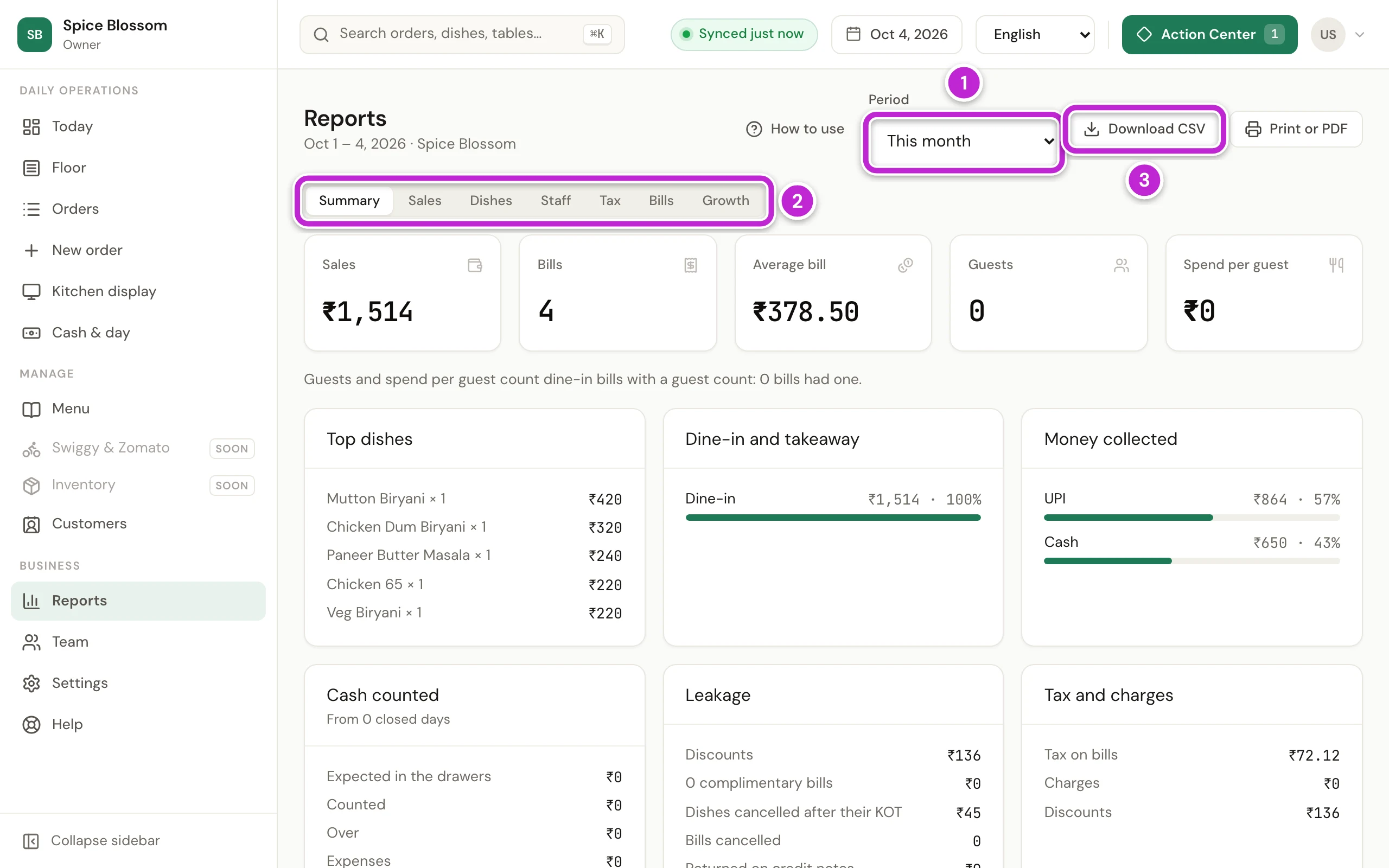
Choose the Period (1), like This month. To pick your own dates, choose Choose dates.
-
Click the report you want to read (2):
- Summary: sales, bills, average bill, guests, top dishes, money collected, cash counted, leakage and tax, on one page.
- Sales: sales by day, by hour, by time of day, by day of the week, by order type, by area, by payment mode and by billing computer.
- Dishes: how much of each dish and category was sold.
- Staff: orders for whoever took them, and bills for whoever issued them.
- Tax: taxable value and tax by rate, and by HSN or SAC code.
- Bills: every bill with its place, buyer, tax and status, and the credit notes.
- Growth: sales by month for the last 12 months.
-
To keep the numbers or send them to your accountant, click Download CSV (3). It saves the report you are looking at as a file that opens in Excel or Google Sheets.
-
For example, click Dishes (1) to see which dishes sell most. Type in Search dishes to find one dish.
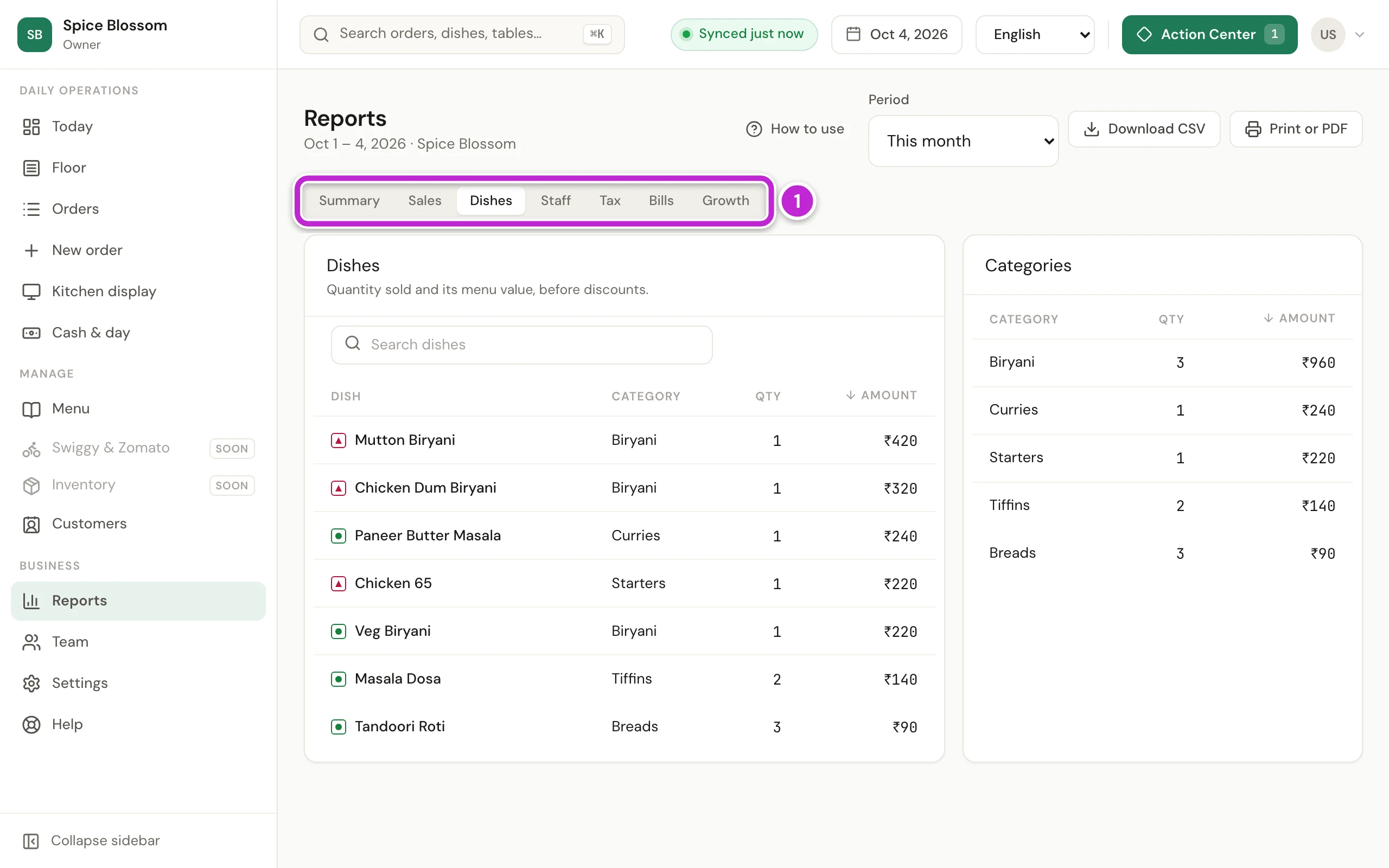
To print the report or save it as a PDF, click Print or PDF. The Summary fits on one A4 page.
If something goes wrong
Section titled “If something goes wrong”- Reports are for managers and the owner. Your role cannot see reports. Ask a manager or the owner to check the day’s numbers.
- The report did not load. Reload the page. If it still does not load, check the internet connection.
- Choose a period that runs forward and spans at most a year. With Choose dates, the first date must come before the last, and the period can be one year at most.
- The sales look lower than the orders. Orders without a bill are not in the sales yet. Look on the Floor for tables that are still open, and bill them (Print the bill and take the payment).